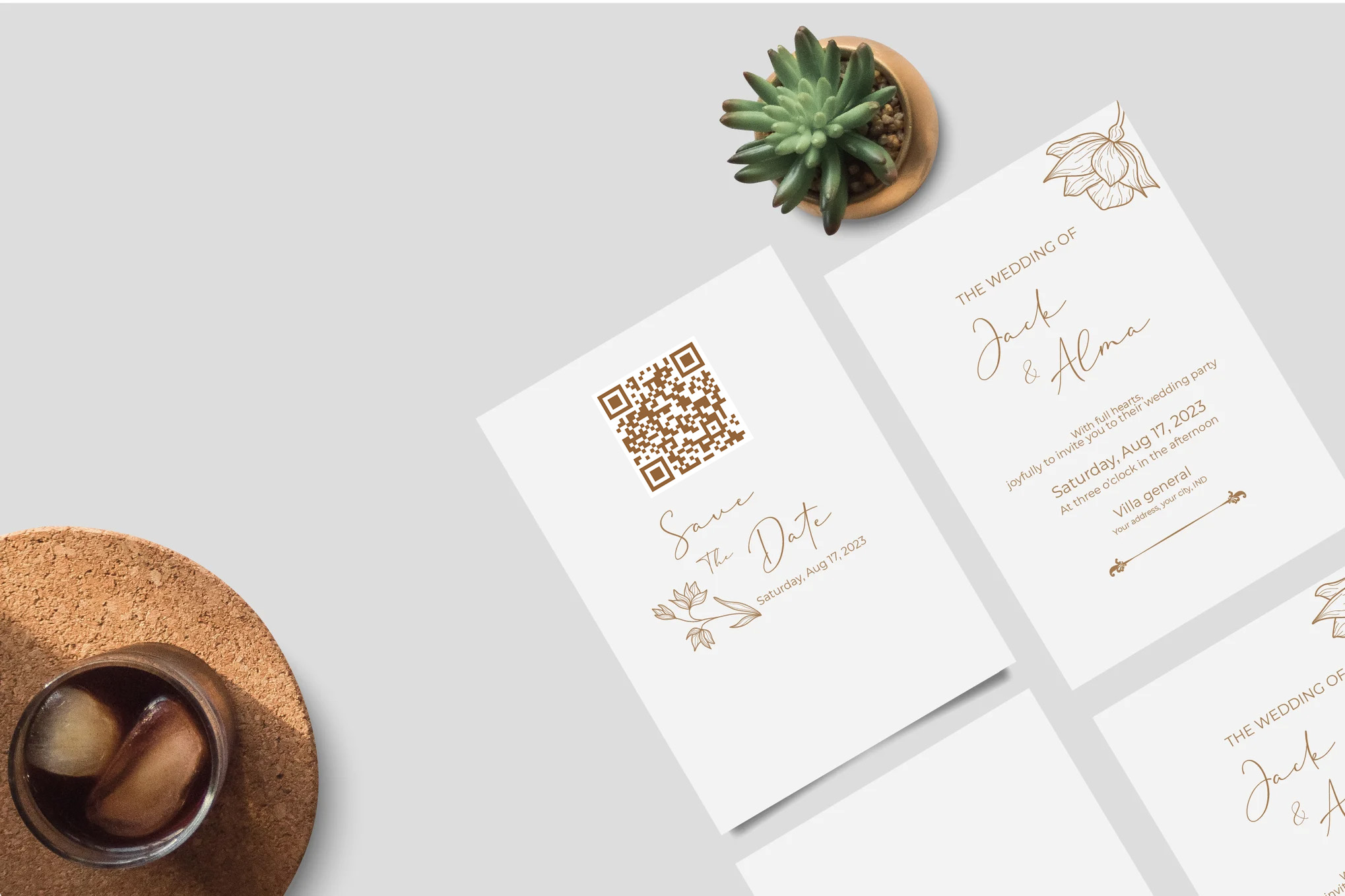

Online wedding invitations with RSVP.link combine your invitation and RSVP form into one simple link. In this guide, you’ll learn how digital invites work, why couples are switching from paper, and when it makes sense to use a QR code vs a direct link. We’ll also compare real costs and time saved, then walk through a step-by-step setup you can copy.
Quick answer
Online wedding invitations with RSVP are digital invites (usually a link or QR code) that let guests open your invitation and RSVP instantly on their phone. Couples use them to increase response rate, reduce printing + postage costs, and keep headcount, dietary notes, and plus-ones organized in one place. If you still love paper, you can combine both: mail a simple invite and include a QR code that sends guests to your RSVP page.
Best RSVP deadline: 3–4 weeks before the wedding (so you can finalize catering + seating)
Best time to send: 6–8 weeks before (10–12 for destination weddings)
Best format: Direct link for digital invites, QR code for printed invites
If you want the fastest setup, start with an RSVP page and theme first, then share one link by text/email. When you're ready, you can also add a QR code for printed invitations. (See: RSVP QR Codes and Wedding Themes.)
What are online wedding invitations?
Online wedding invitations are digital versions of a traditional invite that you send by text, email, or messaging apps. Instead of relying on guests to mail back a card, online invites usually include an RSVP link (or embedded RSVP form) so guests can respond in seconds.
They can be as simple as “Here’s our wedding RSVP link” or as polished as a full invitation page with your event details, schedule, location, and custom questions (meal choice, allergies, plus-ones, song requests, and more).
Why couples are switching to digital
Wedding planning has a lot of moving parts, and headcount affects almost everything. Digital invitations help with this. They’re faster, easier to update, and much simpler to track than collecting replies across paper cards, texts, and group chats.
Top benefits of online RSVPs
Higher response rate: Guests can RSVP immediately—no stamp, no mailbox, no “I’ll do it later.”
Real-time headcount: Totals update automatically as guests respond.
Fewer follow-ups: It’s obvious who hasn’t responded, so reminders are simple.
Better guest info: Collect dietary restrictions, plus-ones, and meal choices in one place.
Easy changes: If details change, you update once—no re-printing required.
Who should use digital invitations?
Digital invites work especially well for:
Couples with a lot of out-of-town guests
Short planning timelines
Weddings where headcount changes often
Anyone who wants the simplest possible RSVP process
If your crowd includes older guests who prefer paper, you can still use online RSVPs—just include a QR code on the printed invite.
How online RSVPs work
At a high level, an online RSVP system has three steps:
Create a wedding RSVP page with your event details.
Share one link (or QR code) with guests.
Track responses automatically in your dashboard.
What you can collect with an online RSVP
Attendance (Yes / No / Maybe)
Plus-ones and headcount
Meal choice
Dietary restrictions and allergies
Phone number / email (optional)
Song requests or notes
If you’re building an RSVP page, it helps to set clear expectations on the invitation: include an RSVP deadline and a quick line like “Please RSVP by June 1.” For deadline timing, see When Should Wedding RSVPs Be Due?.
Paper vs digital wedding invitations
Paper invitations are timeless and make great keepsakes. Digital invitations are faster, easier to manage, and often far more cost-effective. Many couples do a hybrid: paper invitation for the feel, digital RSVP for the convenience.
Cost breakdown: paper invitations vs online RSVP
The total cost of paper invitations depends on guest count, printing type, envelopes, RSVP cards, and postage. A common “all-in” number for invitations alone is several hundred dollars, and postage adds up quickly—especially with heavier suites, wax seals, or non-rectangular envelopes.
Paper invitation suites: Often hundreds of dollars total for many couples (and can be higher with premium printing and embellishments).
Postage: A standard 1 oz letter uses a Forever stamp, but heavier or oddly-shaped envelopes may cost more.
Time cost: Address collection, envelope stuffing, sealing, and trips to the post office.
With online invitations, the biggest “cost” is usually the platform you choose (and optional upgrades). The time savings is often just as valuable: no printing lead times, no envelope assembly, and no waiting weeks for mail replies.
The time angle (the part people underestimate)
You don’t need to write or print envelopes.
You don’t need perfect postal addresses for every guest.
You can send reminders instantly to guests who haven’t RSVP’d.
When guests update their RSVP, your totals update automatically.
The environment angle
Digital invitations reduce paper usage and shipping waste. If sustainability matters to you, going digital (or using a QR code on a minimal paper invite) is one of the easiest eco-friendly switches in wedding planning.
QR codes vs direct links
The best option depends on how you’re inviting guests:
When to use a direct link
You’re sending invitations by text or email
You want the fewest steps (tap → RSVP)
You’re sharing in a group chat or on a wedding website
When to use a QR code
You’re mailing printed invitations
You’re printing signage for a shower, engagement party, or bridal events
You want guests to scan and RSVP from their phone instantly
If you’re doing paper invites, a QR code is the best of both worlds: you keep the traditional feel, but make RSVPs modern and easy. See RSVP Registration with QR Code for setup ideas.
QR code size & design tips (so it scans every time)
Size: Aim for at least ~2 cm x 2 cm on printed invites.
Contrast: Dark code on a light background scans best.
Quiet zone: Leave whitespace around the QR code.
Test: Scan it with multiple phones before printing.
Step-by-step setup guide
Here’s a simple process you can follow even if you’re not “techy.”
1) Choose a wedding theme
Start with a wedding template that matches your style. This is the fastest way to make the RSVP page look polished. Browse: Wedding RSVP Themes.
2) Add your event details
Date and start time
Venue name and address
Dress code (optional)
Schedule highlights (optional)
3) Add RSVP questions
Keep the RSVP form short, then add only what you truly need. Common wedding questions include:
Will you attend?
How many in your party?
Meal choice (if applicable)
Dietary restrictions
4) Set your RSVP deadline
A good default is 3–4 weeks before the wedding, and ideally at least a week before your final catering deadline. Need help choosing? Read: When Should Wedding RSVPs Be Due?.
5) Share your invite
Share one link by text or email. If you’re mailing paper invitations, generate a QR code and print it on the invite or RSVP card.
6) Track responses (and follow up)
Track responses in real time. A simple follow-up message a day or two after your deadline will usually capture most stragglers.
Online RSVP wording examples
Clear wording improves response rate. Here are a few examples you can copy:
Direct link wording
Please RSVP by June 1: rsvp.link/your-name
RSVP online: Tap the link to reply in seconds.
QR code wording
Scan to RSVP: Use your phone camera to scan the QR code.
Kindly RSVP by June 1: Scan the QR code or visit our RSVP link.
Common mistakes to avoid
Setting the RSVP date too late: You’ll scramble to finalize catering and seating.
Making the form too long: More questions = the less likely guests are to respond.
Using low-contrast QR codes: They look pretty but fail to scan.
No clear call to action: Always include “RSVP by [date]”.
Recommended next steps
If you’re early in planning, start by building your wedding RSVP page and picking a theme. Once you have the link, you can decide whether to go fully digital or include a QR code on printed invites.